A drawing-tutorial sheet made entirely by MiniMax H3
Someone on r/StableDiffusion fed MiniMax H3 a single finished painting and the prompt "create a video tutorial of how this particular painting was created — blank canvas, basic forms, detail layer, color/rendering layer, final image," and got back a plausible reverse-engineered construction video. Inspiration and full credit: the original post.
I run charref-gen, an existing pipeline of mine
(ported from an earlier blades68-lora character-reference-sheet job) that
generates video+audio character reference sheets for a game roster using
MiniMax H3. That pipeline's own 4-shot technique (head closeup / front /
back / side, neutral A-pose) traces back to a separate real source:
u/bstr3k's "Using H3 as a Character Reference Sheet Generator"
(r/StableDiffusion) — multi-image reference generating a static 360°
character sheet, with the same "neutral A pose" fixed prompt and a 4-panel/
6-panel workflow choice. It seemed like a natural fit for the drawing-
tutorial trick too: instead of a video, render a static multi-panel
construction sheet — the kind you'd find in a figure-drawing instruction
book — for one of the roster characters.
What actually worked
The validated recipe is a single MiniMax H3 ImageToVideo render, pinned
between a blank parchment-toned canvas (first_frame) and the character's
finished render re-backgrounded onto the same paper (last_frame), with a
prompt that explicitly names each classical Loomis/Reilly construction
primitive — sphere skull, box ribcage, box pelvis, cylinder limbs — so the
model blocks in visibly three-dimensional shapes before refining into line
art, color, and final rendering. Same seed, same 8-step turbo LoRA config,
124 frames, as every other charref-gen render. Eight evenly-spaced frames are then
extracted and labeled: Blank Canvas, Primitive Shapes, Rough Structure,
Detail Pass, Line Refinement, Base Color, Rendering, Final Render.
Here's the full 8-panel sheet, unedited:
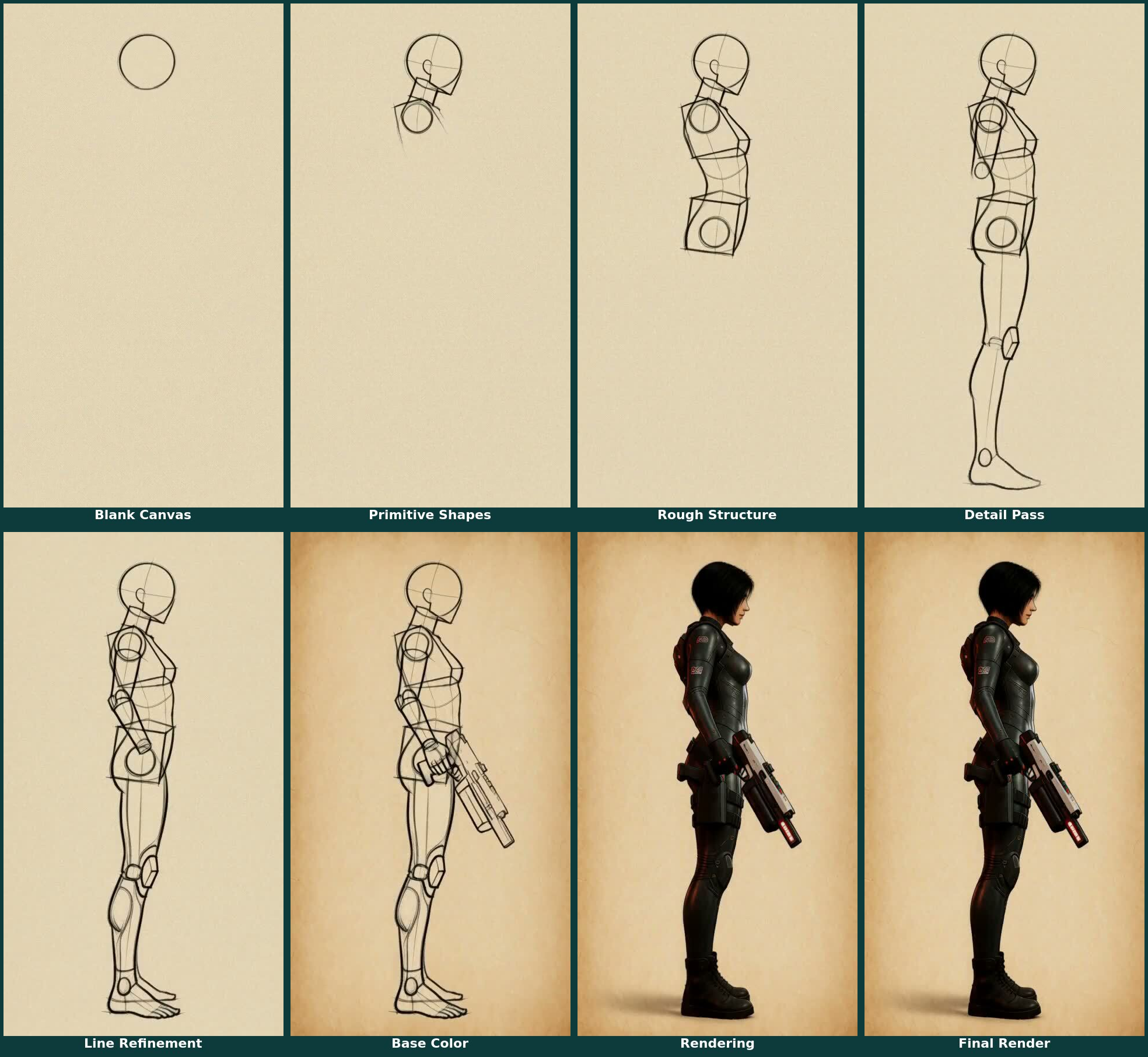
Every panel is clean, start to finish — no hand, no pencil, nothing but the construction stages and the character herself. This is the recipe's best run.
The reliability question this doesn't settle
That clean result isn't the whole story, though. An earlier version of this same idea (a flatter gesture-outline sketch, before the Loomis- primitive prompt above) had an unprompted drawing hand appear mid-stroke — logged at the time as a nice bonus, since it read like a genuine "how this was drawn" tutorial. Later, testing the same Loomis-primitive recipe specifically for whether a hand would show up on request, two follow-up renders (same asset/seed/images/frame count as the sheet above, different render files, not shown here) both had a hand and pencil appear in most panels despite explicit suppression instructions:
- Negative phrasing ("no hand, pencil, or drawing implement is ever visible"): hand still visible in 6 of 8 panels. Naming the concept at all, even to negate it, seems to prime the model to render it anyway — a known failure mode for negative instructions in this kind of generation.
- Affirmative rephrasing (no mention of hand/pencil/implement at all, just "lines and shading appear on the page on their own, as though drawn by an unseen artist"): still visible in 5 of 8 panels.
So the honest read: this specific sheet came out completely hand-free, but that's not a guarantee across renders — the underlying tendency toward an implied hand is still there and unresolved. Current theory is that the phrase "a video tutorial of how this was drawn" is itself a strong enough training-data prior toward a filmed human hand that rephrasing the hand-specific clause, in either direction, isn't enough to override it. The untested next move would be dropping the "tutorial video" framing entirely for something like "an animated technical diagram" — no implied camera, no implied operator. That's a future post if it works.